
Arrange your PS5 home screen with the controller.
The console orders your row by what you opened last. Lineup lets you put every game where you want it, on the TV, and pin the ones that should never move.
Free and open source homebrew for a jailbroken PS5 you own. Tested on firmware 13.60.
Your row, not the console’s
On the TV, with the controller
No PC and no editing databases over FTP. You see the row as it is and move games where you want them.
Pins that hold
A pinned game keeps its place when you open other games. Everything else still follows the system’s rule.
See where the edge is
The home screen shows only the first 12 games. A divider in the row shows where that edge falls.
Tidy the tabs
Move homebrew and emulators between Games and Media, or hide any app on the current profile.
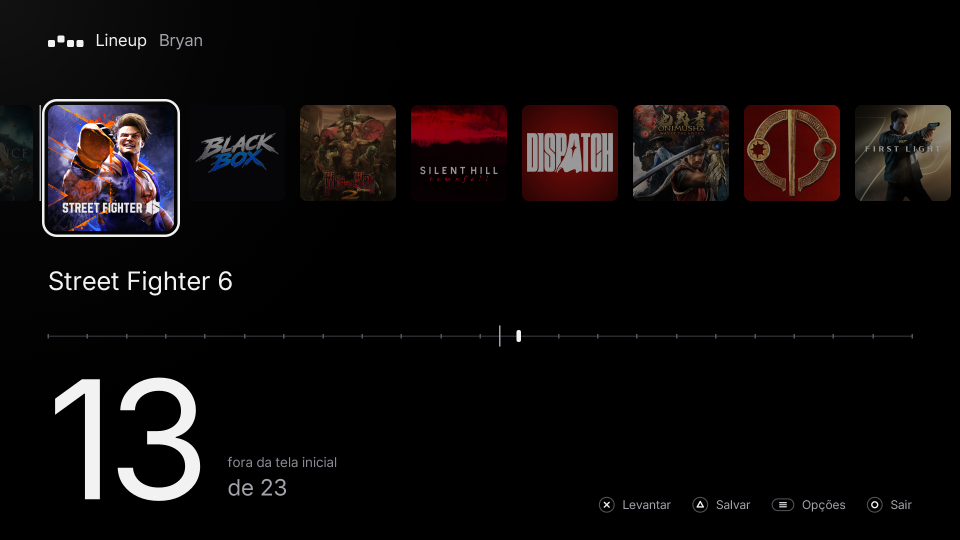
Four buttons
- Lift the focused game, then drop it where you are.
- Pin or unpin it. Pinned games keep their place.
- Save. Lineup closes and the home screen comes back in the new order, no restart.
- Put a carried game back, or quit. It asks before losing changes.
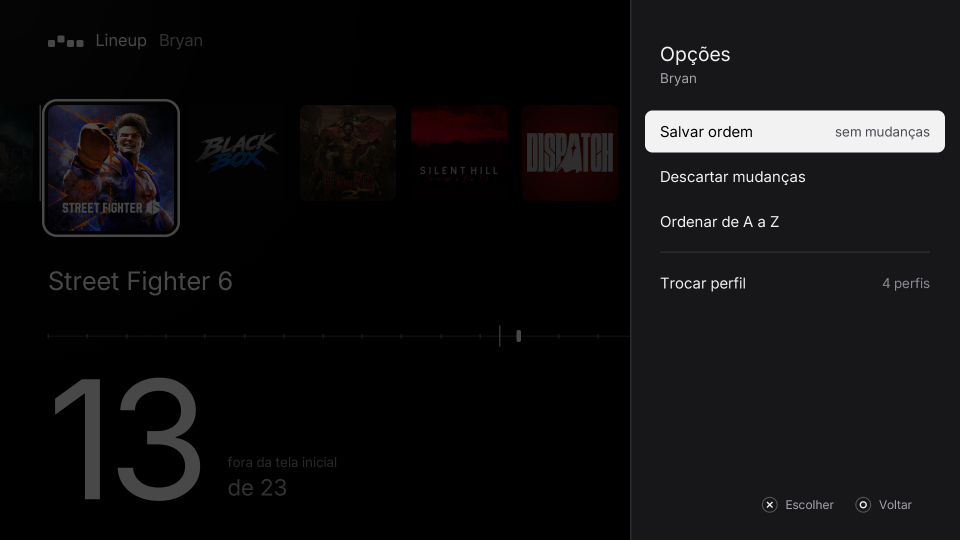
L1 and R1 switch between the Games and Media tabs. Options opens the menu: sort A to Z, pin the whole row, hidden apps, profiles, updates.
Careful with your console
- Before each save, the home screen’s database is copied to a backup folder. The 5 newest copies are kept.
- The database is checked before the write and again after it, and the whole save is one transaction.
- The new order reuses the values the row already holds, so nothing grows past what the system expects.
- If the row changed since Lineup read it, the save is refused and the row reloads.
Install
You need a PS5 running a jailbreak with kstuff, an ELF loader on port 9021 (elfldr, or etaHEN’s) and ShadowMountPlus.
- Download Lineup-<version>.exfat from the latest release.
- Copy it into /data/homebrew/ over FTP, or into a homebrew/ folder on an exFAT USB drive.
- Wait a few seconds: ShadowMountPlus mounts it and adds Lineup to the home screen.
After that, Lineup checks for new releases when it opens and updates itself when you choose Update.
Download the latest releaseQuestions
A game I opened jumped back to the front.
That is the system’s rule, and Lineup keeps it. Pin the game with □ and save: it holds its place from then on.
Does the order survive a restart?
Yes. Lineup writes it where the home screen keeps the row, and hidden apps stay hidden too.
Does it work on my firmware?
It is tested on 13.60. If you try another version, open an issue saying whether it worked. Open an issue
How do I go back to the system’s order?
Options → More options → Remove pins from every profile. Every profile goes back to “last opened comes first”, and hidden apps come back.
Something went wrong.
Options → More options → Save a bug report, then attach the file to an issue. It lists the apps and how the home screen stores them, with no names or passwords. Open an issue