
Any song in, a playable Beat Saber map out.
Five difficulties, from Easy to Expert+, built from rules and well-rated human patterns, checked before you play. It runs on your PC and sends the map to your Quest.
Free and open source. Windows 10 and 11, no administrator account.
From a link to the headset
Paste
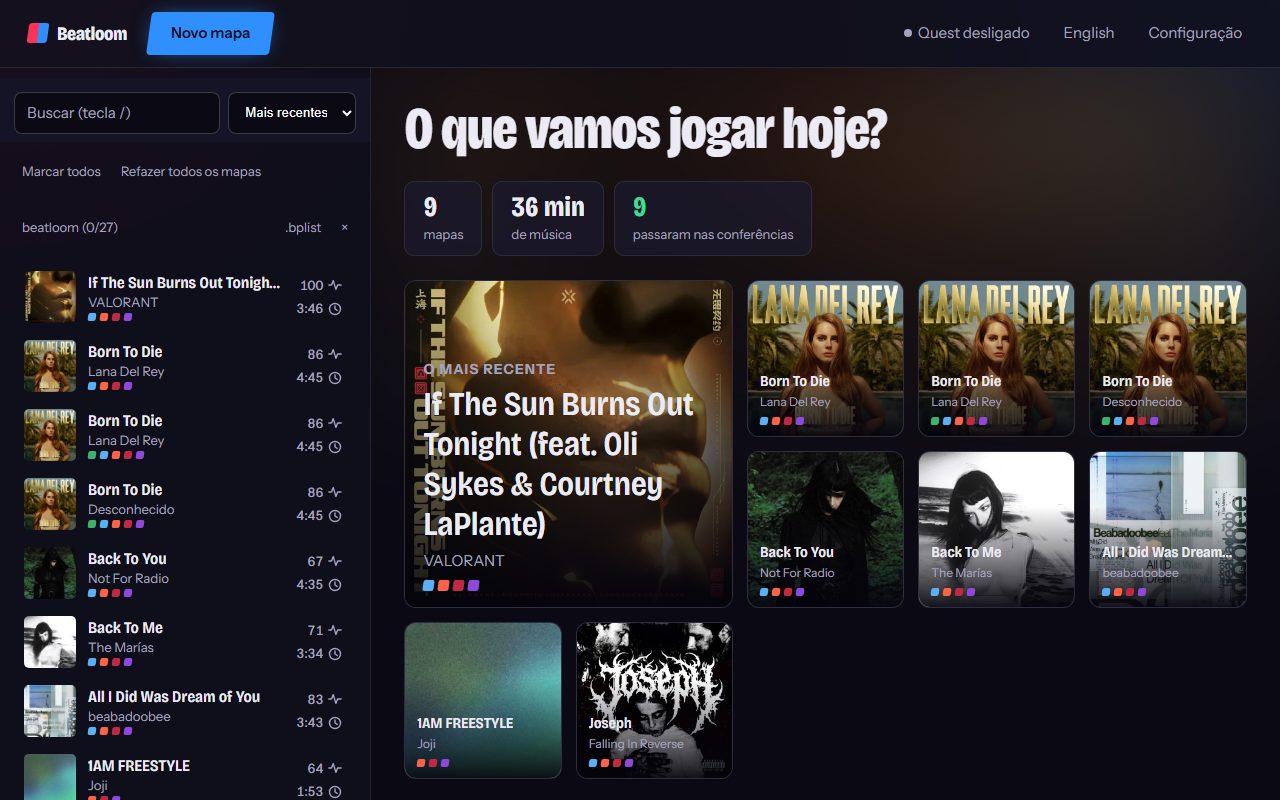
A YouTube link, a playlist or an audio file. Fix the cover, name and artist if you want.
Listen
It finds the beats and bars, and separates drums, bass, vocals and the rest to hear each one.
Build
Swings from human maps become five difficulties, with arcs, chains, bombs, walls and lights in the cover colors.
Play
Watch it in 3D on the page, read the report and send it to the Quest over Wi-Fi.
Made the way mappers map
Human patterns, no trained model
Windows of 1, 2 and 4 beats are cut from well-rated BeatSaver maps and chained by rules, looking 8 beats ahead to keep wrist parity valid.
It follows the voice and the drums
A sung syllable becomes a note and its pitch pulls the row. Kick low, snare in the middle, a strong cymbal becomes a double.
Your way of playing
No notes on the top row, no note hidden behind another, how much the arms may cross. Chroma and Noodle Extensions are optional.
In bulk
Paste a playlist and every track becomes a map, grouped in the game under the playlist name. Redo old maps with a newer generator.
Checked before you play
Every map comes with a report. A map only counts as done when it passes all of these:
- Valid map format
- No parity errors
- No vision blocks
- No handclaps
- No stacked notes
- No saber passing through the other hand’s note
- Notes on the beat grid
- Notes per second within each difficulty’s range
How far it has been tested
On 18 songs of different styles (indie pop, rock, metal, electronic), every map passes every check. Passing means playable with no known defect, not fun. Few have been played in a headset so far.
Known limits
- Only a 1/4 beat grid: no triplets or swing, no dot notes.
- Chains, bombs, dodge walls and the mod effects pass validation but have not been seen in the game yet.
- Slow songs get many doubles on Expert+ to reach the density.
- Windows only.
Install
- Download beatloom-setup.exe from the latest release and open it.
- Wait for the first-run setup. The page shows what is missing and downloads it, about 2 GB in total.
- Click New map, paste a link or pick an audio file, and generate.
The installer is not signed yet, so Windows says “Windows protected your PC”. Click More info, then Run anyway.
The first time, plug the Quest in by USB with developer mode on. After that, maps go over Wi-Fi. No Quest? Copy the map folder into the custom levels folder.
Download for WindowsQuestions
Is it a trained AI model?
No. It listens with beat tracking and source separation, then picks swings from patterns cut out of human maps, by rules. Nothing is trained on maps.
Do I need a good GPU?
No. With an NVIDIA card the instrument separation runs on it; without one it runs on the CPU, slower. Fast mode skips the separation and is about 6 times faster.
Can I upload the maps to BeatSaver?
Only flagged as auto-generated, as BeatSaver requires, and only with music you have the right to use.
Something went wrong.
Open an issue on GitHub with what you did and what the page showed. Open an issue